Technical Documents
Specifications
Brand
StarTech.comProduct Type
Mounting Plate
Sub Type
VESA Mounting Bracket
Extension Arm
No
VESA Configurations
75 x75 mm or 100 x 100 mm
Maximum Load
5kg
Supported Number of Displays
1
Height
95mm
Depth
175mm
Weight
666g
Standards/Approvals
RoHS, REACH
Width
130mm
Country of Origin
China
Product Details
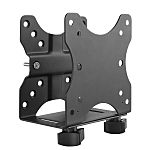
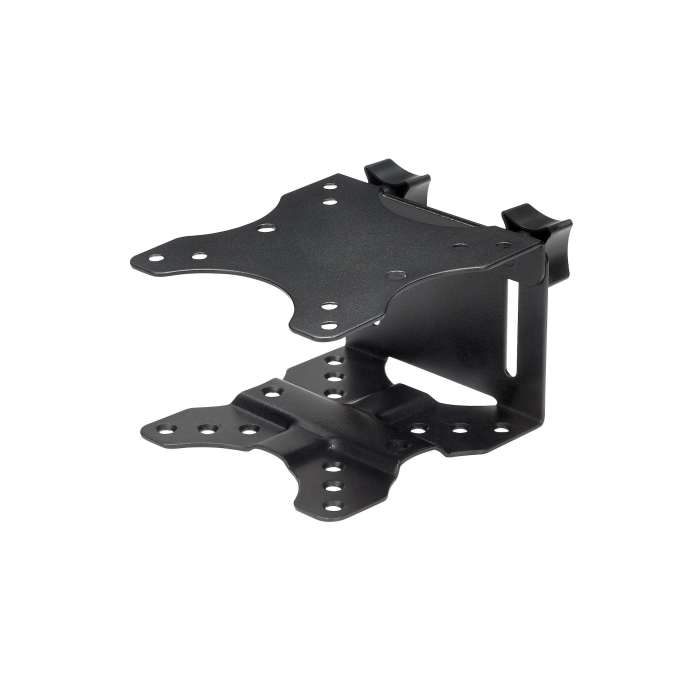
This thin-client mounting bracket provides an excellent space-saving solution, by letting you mount your thin-client PC or docking station to create a clutter-free workspace.
Multiple installation methods
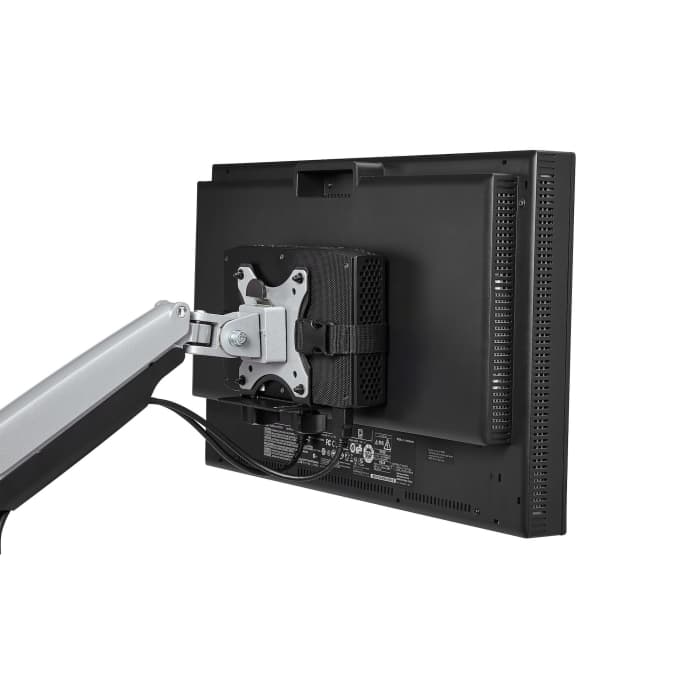
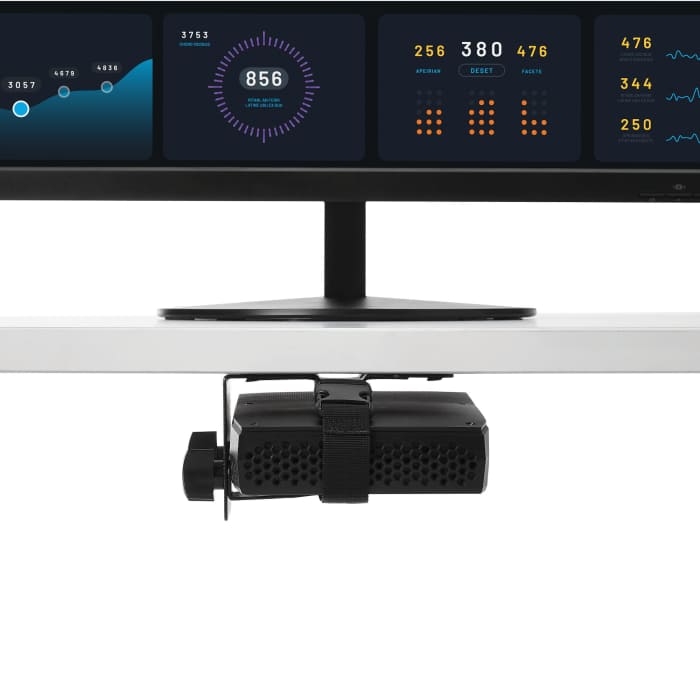
The versatile double-sided VESA mount offers several installation options, enabling you to mount your thin-client PC or dock to the back of your monitor or under your desktop, or clamp it to a monitor-mount pole. The mount supports 75x75, and 100x100 VESA mount compatibility, making it suitable for most monitors and monitor mounts.
Store a variety of products
This adjustable mount is Ideal for holding an Intel® NUC, Mac Mini, most small CPUs, thin clients, docking stations, or USB hubs that fit within the width adjustability of the mount (.7" to 2.8" / 17 mm to 70 mm). The mount can support up to 11 lb. (5 kg). It also features an adjustable strap to help keep your devices secure, and rubber pads to secure products with non-parallel surfaces.
Unrestricted Access
The open-frame design of the mount allows unrestricted access to your computer.
The ACCSMNT is backed by a StarTech.com 5-year warranty and free lifetime technical support.
How easy is it to install the thin-client mounting bracket ?
The thin-client mounting bracket is provided with all the necessary mounting materials. All StarTech mounts come with installations manuals and offers step-by-step guidance for safe mounting.
Does the thin-client mounting bracket tilt or swivel?
No, the mounting bracket does not feature tilt or swivel capabilities.
Where can I find my VESA configuration size?
It is advised that you look in your product manual to find the correct VESA size. If you do not have this available, you can measure the distance between the four holes in the back of your TV or Monitor. Measure the horizontal and vertical distances from the holes.
Back of Monitor, Under Desktop, or Clamped to Monitor-Mount Pole
No
Steel & Plastic
Stock information temporarily unavailable.
35.545 OMR
35.545 OMR Each (ex VAT)
37.322 OMR
37.322 OMR Each (inc. VAT)
1
35.545 OMR
35.545 OMR Each (ex VAT)
37.322 OMR
37.322 OMR Each (inc. VAT)
Stock information temporarily unavailable.
1
Technical Documents
Specifications
Brand
StarTech.comProduct Type
Mounting Plate
Sub Type
VESA Mounting Bracket
Extension Arm
No
VESA Configurations
75 x75 mm or 100 x 100 mm
Maximum Load
5kg
Supported Number of Displays
1
Height
95mm
Depth
175mm
Weight
666g
Standards/Approvals
RoHS, REACH
Width
130mm
Country of Origin
China
Product Details
This thin-client mounting bracket provides an excellent space-saving solution, by letting you mount your thin-client PC or docking station to create a clutter-free workspace.
Multiple installation methods
The versatile double-sided VESA mount offers several installation options, enabling you to mount your thin-client PC or dock to the back of your monitor or under your desktop, or clamp it to a monitor-mount pole. The mount supports 75x75, and 100x100 VESA mount compatibility, making it suitable for most monitors and monitor mounts.
Store a variety of products
This adjustable mount is Ideal for holding an Intel® NUC, Mac Mini, most small CPUs, thin clients, docking stations, or USB hubs that fit within the width adjustability of the mount (.7" to 2.8" / 17 mm to 70 mm). The mount can support up to 11 lb. (5 kg). It also features an adjustable strap to help keep your devices secure, and rubber pads to secure products with non-parallel surfaces.
Unrestricted Access
The open-frame design of the mount allows unrestricted access to your computer.
The ACCSMNT is backed by a StarTech.com 5-year warranty and free lifetime technical support.
How easy is it to install the thin-client mounting bracket ?
The thin-client mounting bracket is provided with all the necessary mounting materials. All StarTech mounts come with installations manuals and offers step-by-step guidance for safe mounting.
Does the thin-client mounting bracket tilt or swivel?
No, the mounting bracket does not feature tilt or swivel capabilities.
Where can I find my VESA configuration size?
It is advised that you look in your product manual to find the correct VESA size. If you do not have this available, you can measure the distance between the four holes in the back of your TV or Monitor. Measure the horizontal and vertical distances from the holes.
Back of Monitor, Under Desktop, or Clamped to Monitor-Mount Pole
No
Steel & Plastic